
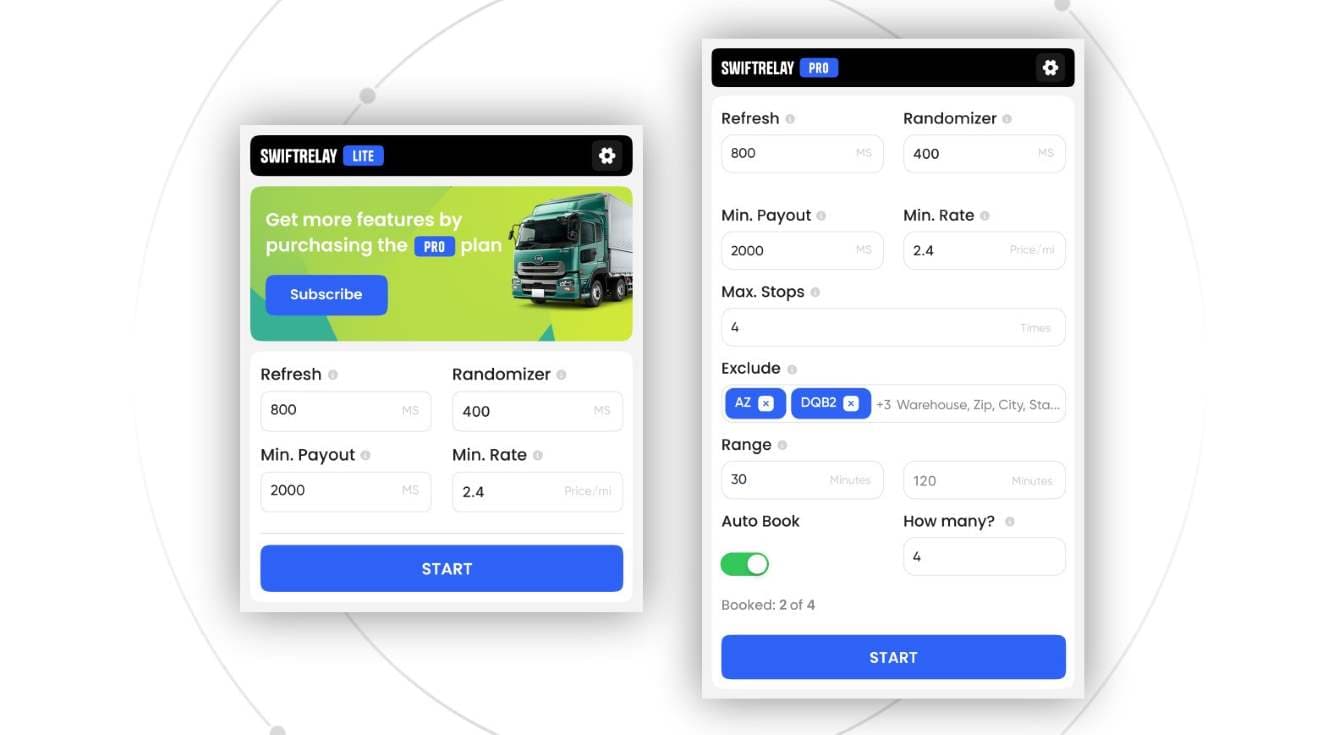
Dispatchers who talk about Amazon Relay booking speed are usually talking about the gap between a load appearing on the board and a truck holding it. That gap is not one magic setting. It is refresh cadence, filter discipline, how many seats watch the board at once, and whether you need Speed Optimizer or Enterprise when the posting window is brutal. This guide is for people who run lanes every day, not for clickbait promises of guaranteed loads.
If you are still mapping the product surface, start with the Amazon Relay load board overview, then come back here for the operational checklist.
Refresh cadence: see freight before it vanishes
Competitive freight posts and clears in seconds. If your board sits stale while you finish a phone call, you never get a fair shot. An Amazon Relay auto refresher keeps the list current so new postings show up without hammering F5. Faster refresh does not invent loads Amazon never posted. It only shortens the delay between Relay publishing a row and your team seeing it.
Practical rule: set cadence aggressive enough for the lanes you care about, then watch for UI lag or account risk from thrashing the board harder than you need. Speed without a plan just burns attention.
Filter discipline: speed on the wrong freight is waste
Booking speed only helps when the loads you chase match equipment, payout floors, distance, and lanes you will actually haul. Loose filters make a fast board feel busy while your trucks sit. Tight, honest filters cut noise so the next good row is obvious and bookable.
Treat filters as a dispatch SOP, not a one-time install step. Review them when markets shift. A team that refreshes fast but books junk is not faster in any way that pays. For the full product picture of refresh, search, and booking tools, see SwiftRelay features.
Multi-seat dispatch: cover more without chaos
One person on one Chrome profile hits a hard ceiling when several trucks need coverage across regions or shifts. Multi-seat dispatch spreads eyes (and automation) across seats so someone is always on the board during your peak posting windows. The goal is coverage and clear ownership, not three people clicking the same load.
Align seats on shared filter standards and who books which equipment. Speed across the team fails when two dispatchers fight over the same freight or leave a lane unwatched because everyone assumed someone else had it.
When Speed Optimizer and Enterprise matter
Lite and Pro cover most day-to-day board work: refresh, filters, and booking automation once rules are trustworthy. Speed Optimizer on Enterprise is for high-volume posting windows where milliseconds and sustained throughput matter: multiple trucks, hot lanes, and competitors who already automated book and confirm.
Do not upgrade for vanity. Stay on a lower tier while you stabilize lanes and payout floors. Move up when volume and competition outpace a single dispatcher and a standard auto-book setup. Compare approaches on SwiftRelay vs alternatives before you change tools mid-season.
What booking speed is not
No extension can guarantee you will win every load. Relay still decides what posts, who is eligible, and when freight disappears. Tools help you see matching loads sooner and finish book or confirm faster. They do not rewrite marketplace rules or promise filled trucks. Distrust any pitch that sells “guaranteed loads” as a product feature.
Put it to work on the board
Install SwiftRelay from the Chrome Web Store, open your load board, lock filters to how you haul, and pick a refresh cadence your team can sustain. Add seats when coverage gaps show up. Step into Speed Optimizer or Enterprise only when the posting window proves you need it. For board basics, read the load board guide; for refresh-focused setup, use the auto refresher page.