
Amazon Relay automation
Amazon Relay auto booker built for dispatch speed.
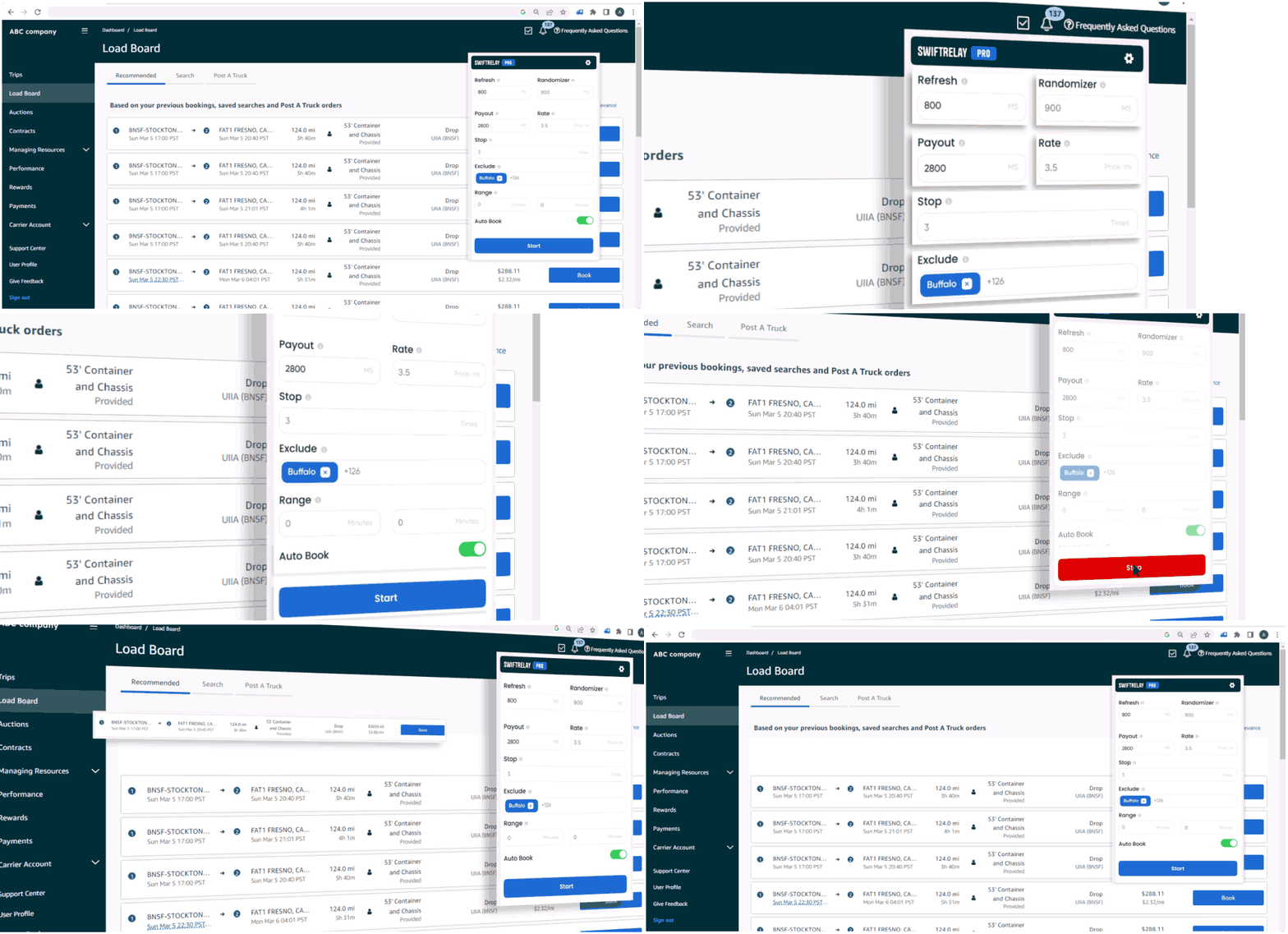
SwiftRelay refreshes relay.amazon.com, applies your payout and lane filters, and books matching loads automatically—so your team spends less time on the board and more time moving freight.
What is an Amazon Relay auto booker?
An Amazon Relay auto booker is a tool—usually a Chrome extension—that monitors the Relay load board and completes bookings when loads match your rules. Manual refresh cannot keep pace when freight posts and disappears in seconds.
New to Relay? Read what Amazon Relay is and how the load board works, then see how SwiftRelay automates refresh and booking on relay.amazon.com.
What SwiftRelay does on the load board
Core capabilities carriers use every day:
- High-frequency refresh so new loads surface without manual reload
- Filters for minimum payout, rate per mile, stops, stem time, and exclusions
- Fast-book highlights on Lite; full auto-book on Pro and Enterprise
- Speed Optimizer on Enterprise for teams competing on the fastest postings
How SwiftRelay compares
Several Chrome extensions compete in this space (RelayOk, Cardamon, Rocket Relay, RelayMate, and others). SwiftRelay differentiates with clear Lite / Pro / Enterprise tiers, a published return policy, and Speed Optimizer for high-volume operations.
Choose Lite if you only need refresh and highlights, Pro for auto-booking, or Enterprise when milliseconds matter.
Get started safely
Install SwiftRelay from the Chrome Web Store, sign in with your carrier account on Amazon Relay, configure filters, and start on a 7-day trial. Use official Relay terms and your own compliance policies when automating bookings.
Frequently asked questions
- Is an Amazon Relay auto booker allowed?
- You must follow Amazon Relay’s terms and your carrier agreements. SwiftRelay automates actions on the load board you already use; compliance is your responsibility.
- Does Lite auto-book loads?
- No. Lite refreshes, searches, and highlights top loads. Pro and Enterprise add automatic booking when criteria match.
- How do I start the free trial?
- Install from Chrome, sign in on relay.amazon.com, and open SwiftRelay—your 7-day trial starts on first use (no checkout here). One trial per carrier, not per user; if that carrier already trialed, subscribe to continue.