
Chrome extension
Amazon Relay Chrome extension for carriers who live on the load board.
SwiftRelay installs in Chrome and works on the official Amazon Relay load board. Lite covers refresh and filters; Pro and Enterprise add auto-book when you are ready to move faster.
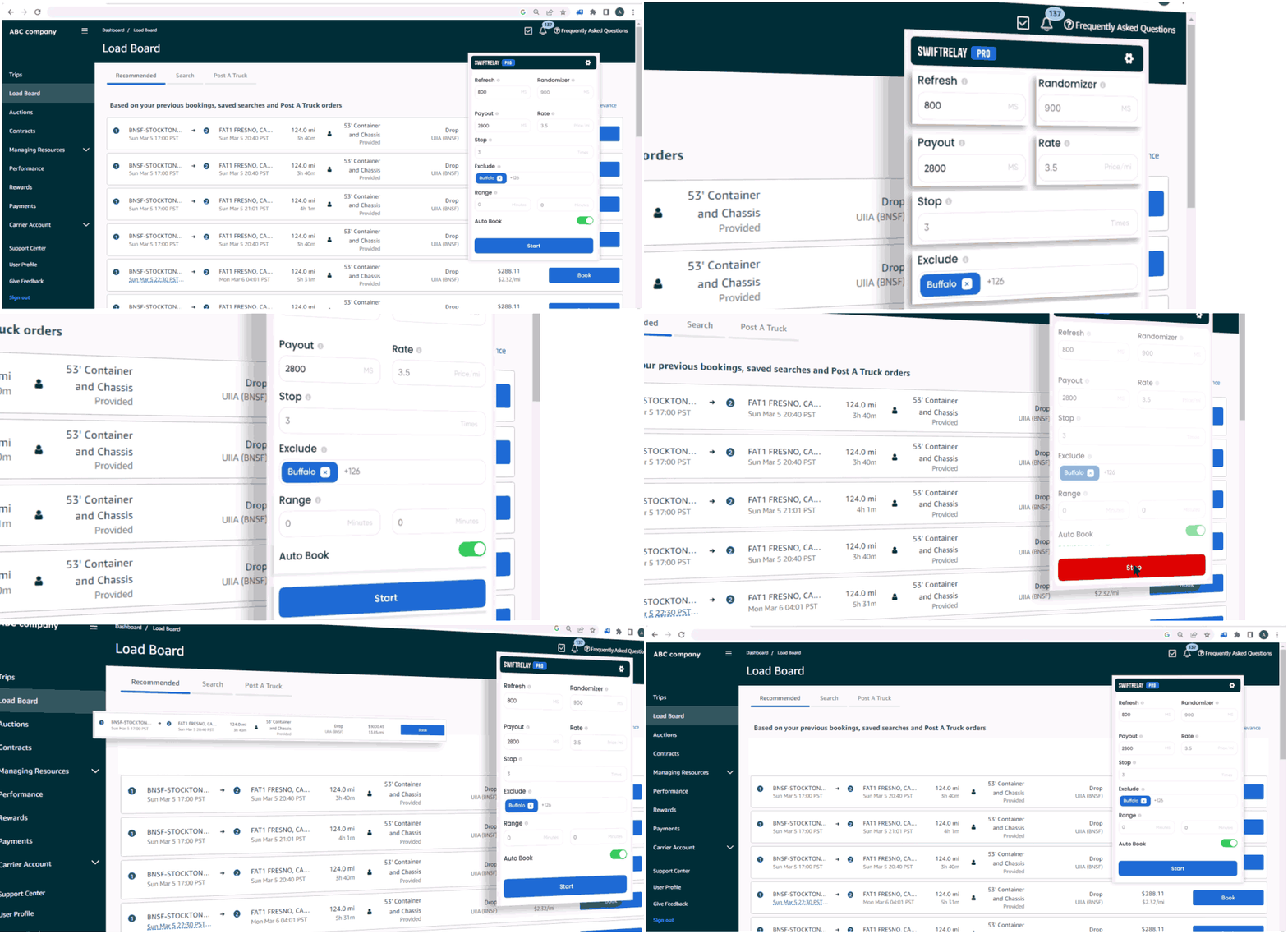
What the SwiftRelay extension does
SwiftRelay is a Chrome extension that runs while you use relay.amazon.com (or your regional Relay host). It does not replace your Amazon account. You sign in to Relay as usual, then use the extension for refresh, filters, and booking help.
Install from the Chrome Web Store, open the load board, and launch SwiftRelay from your toolbar. Configure payout and lane rules before you leave search running.
- Works on the official Relay load board in Chrome
- Lite: automated refresh, filters, and fast-book highlights
- Pro and Enterprise: auto-book when loads match your criteria
- Enterprise: Speed Optimizer for high-volume posting windows
Lite vs Pro vs Enterprise
Choose Lite if you want a faster board without automatic booking. Upgrade to Pro when matching loads should book themselves. Enterprise adds Speed Optimizer for teams that compete on the fastest postings.
Related guides
Looking for booking automation or board refresh detail? Read the dedicated auto booker and auto refresher pages, then pick a plan when you are ready.
- Amazon Relay auto booker guide for Pro and Enterprise booking
- Amazon Relay auto refresher guide for board update speed
Install and get started
Add SwiftRelay from the Chrome Web Store, sign in on your Relay load board, and open the extension. New carriers can start a one-time 7-day trial on first use. Always follow Amazon Relay terms and your carrier agreements when using automation.
Frequently asked questions
- Where do I install the Amazon Relay Chrome extension?
- Install SwiftRelay from the official Chrome Web Store listing. Avoid third-party download sites. After install, open relay.amazon.com (or your regional Relay host), sign in, and launch the extension from your Chrome toolbar.
- Which Amazon Relay marketplaces does SwiftRelay support?
- SwiftRelay works with the US board at relay.amazon.com, Canada at relay.amazon.ca, and European Relay hosts such as relay.amazon.co.uk and relay.amazon.de. Use the regional site that matches your carrier account.
- Can I try SwiftRelay before I subscribe?
- Yes. Install from Chrome, sign in on relay.amazon.com, and open SwiftRelay. Your 7-day trial starts on first use with no checkout on this site. One trial per carrier, not per user. If that carrier already used a trial, subscribe to continue.
- Does every plan auto-book loads?
- No. Lite refreshes the board, applies filters, and highlights top loads. Pro and Enterprise add automatic booking when loads match your rules.