
Carriers searching for an Amazon Relay auto booker or Amazon Relay auto refresher are usually trying to solve the same problem: loads disappear from the board in seconds, and manual refresh cannot keep up. This guide explains the difference between refresher and booker tools, how Amazon Relay load board automation fits together, and how to choose a Relay auto booker Chrome extension without wasting money on the wrong feature set.
Auto refresher: keep the load board current
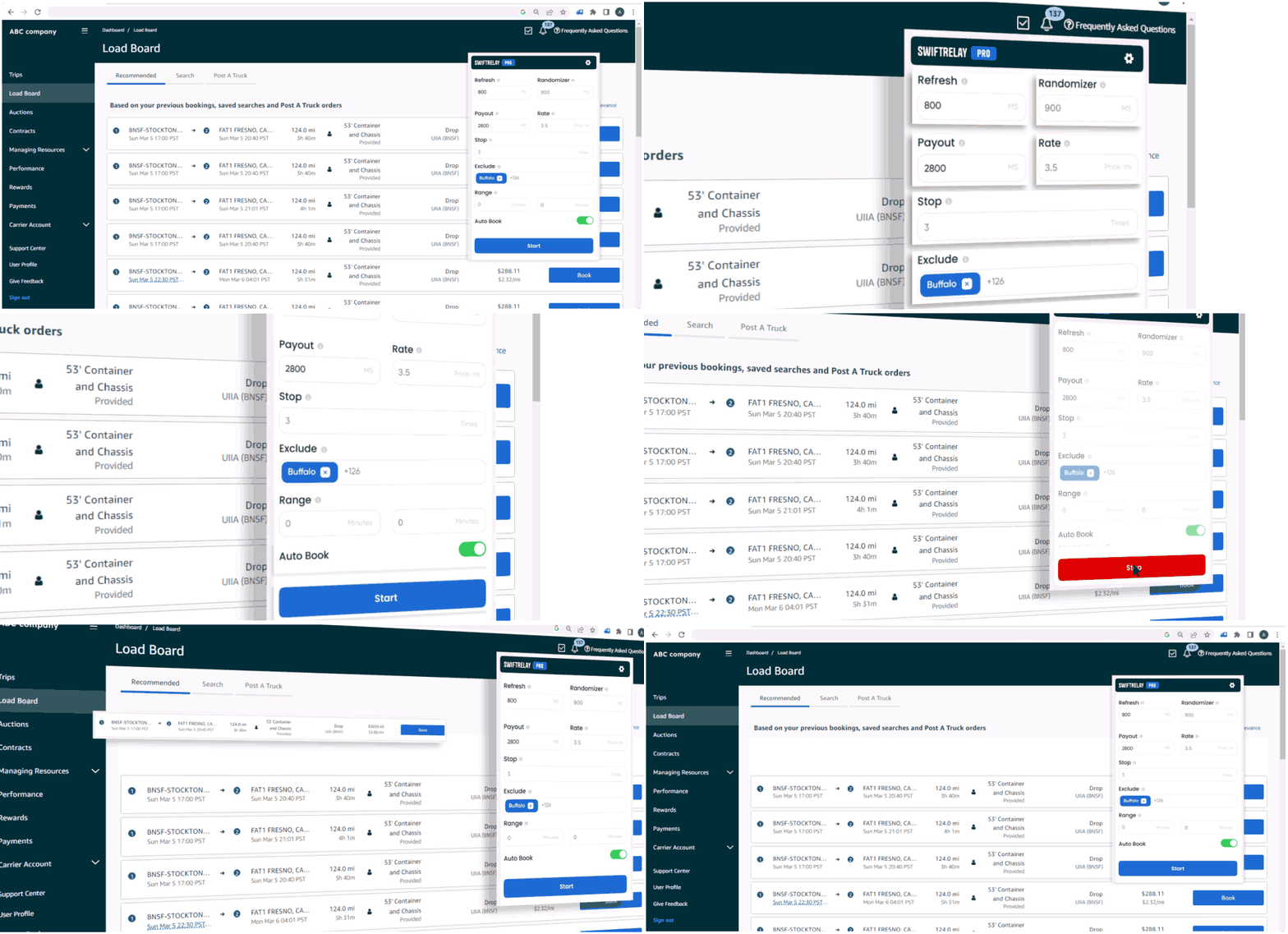
An Amazon Relay auto refresher reloads the load board on a fast interval so you see new freight before competitors who click refresh by hand. A refresher alone does not book loads—it reduces missed opportunities by keeping listings up to date while you scan lanes, rates, and equipment requirements.
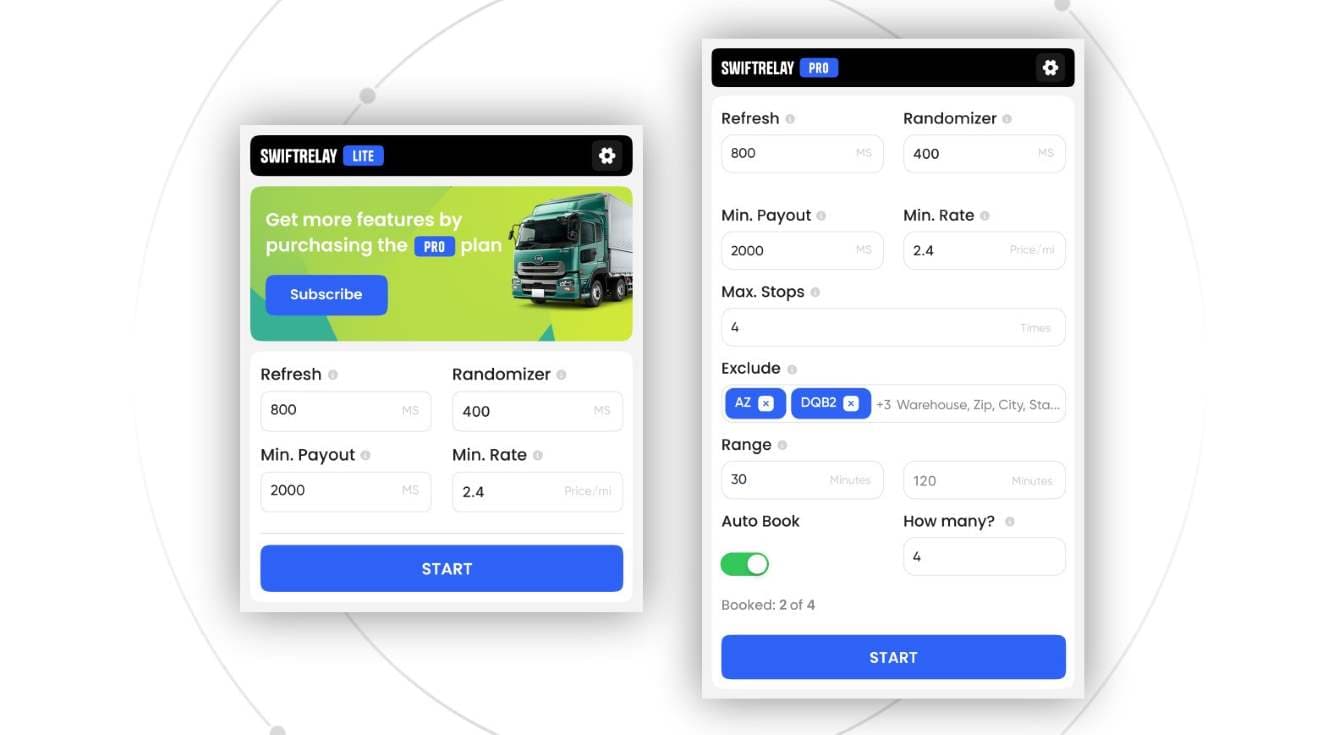
Refresher software is ideal when your team still wants to approve each booking but needs faster visibility. SwiftRelay Lite includes high-speed refresh, filters, and fast-book highlights for that workflow. For a focused overview, see our Amazon Relay auto refresher page.
Auto booker: from match to booked load
An Amazon Relay auto booker goes further: it watches the board, applies your rules (lanes, payout, distance, equipment), and can confirm matching loads automatically when they appear. That is the core of book Amazon Relay loads automatically—less time in the UI, more time covering miles.
Auto booking is higher risk and higher reward. You need reliable filters, clear plan limits, and a vendor with published policies. SwiftRelay Pro and Enterprise add continuous auto-booking; details are on our Amazon Relay auto booker page and pricing.
Load board automation: the full workflow
Amazon Relay load board automation typically combines three steps:
- Refresh — poll or reload the board faster than manual refresh.
- Filter — enforce min rate, payout, distance, and lane rules so you only chase profitable freight.
- Book — optional one-click or fully automatic confirmation when a load matches.
Most dispatch teams eventually want all three. Owner-operators often start with a refresher and upgrade to an auto booker once filters are dialed in on relay.amazon.com.
Choosing an Amazon Relay extension on Chrome
When you compare an Amazon Relay extension in the Chrome Web Store, look past marketing titles and verify:
- Store listing clarity — does it state refresher vs booker features and which plan unlocks auto-book?
- Pricing transparency — monthly tiers, trials, and cancellation path (including a published return policy on the vendor site).
- Support channels — email, Telegram, or docs you can reach when Relay changes its UI.
- Volume needs — high-volume fleets may need a speed or optimizer tier, not only basic refresh.
Install only from the official SwiftRelay Chrome Web Store listing or the developer you trust—phishing extensions are a real risk in this niche.
SwiftRelay vs RelayOk, Cardamon, Rocket Relay, and RelayMate
Several tools compete for the same searches—including queries like swiftrelay vs relayok. Store listings change over time; always confirm price and features before you subscribe. As of June 2026, this is a high-level, factual snapshot for dispatchers comparing options:
- RelayOk — Chrome Web Store focus on auto refresher and auto booker with load stats; subscription pricing on the store listing.
- Cardamon — positions as Relay AutoBooker & Refresher in the Chrome Web Store; subscription model.
- Rocket Relay — marketing site at rocketrelaybooker.com plus a store listing; often cited around ~$49/month with a trial in public materials.
- RelayMate — store-first load management / auto booker positioning; higher price tier in public listings (~$99/month range).
- SwiftRelay — swiftrelay.io with Lite ($49.95), Pro ($74.95), and Enterprise ($349) plans, Speed Optimizer for high-volume booking, and published Terms, Privacy, and Return Policy on the same domain as the product.
SwiftRelay is not the only option, but it is built for teams that want refresher and booker capabilities in one extension, clear plan tiers, and on-site documentation (including this blog and dedicated landing pages) rather than store-only SEO.
Which setup should you use?
- Manual booking, faster board — auto refresher + filters (SwiftRelay Lite).
- Daily dispatch with rules-based booking — auto booker on Pro.
- High volume / multiple trucks — Enterprise with Speed Optimizer and advanced automation.
Next steps
If you are behind competitors on the load board, start with the workflow you are missing—refresher speed, filters, or full auto-book—then measure booked loads per week. Add SwiftRelay from the Chrome Web Store, open Amazon Relay, and align your plan with how your fleet books freight.
Related reading: best way to book Amazon loads with SwiftRelay, our blog index, and keyword guides on auto booker and auto refresher pages.