

Canadian carriers often tell us the same story: an Amazon Relay auto refresher or auto booker works in the U.S., but on Amazon Relay Canada it never seems to catch loads—or books nothing while competitors still win freight. That frustration is common, and it is usually fixable. This guide explains why many refreshers fail on the Canadian load board, what to check before you blame the tool, and how to set up load board automation on relay.amazon.ca the right way.
Canada uses a different Relay site—not relay.amazon.com
U.S. dispatchers work on relay.amazon.com. Canadian carriers must use relay.amazon.ca with a Canada marketplace session. Extensions that only inject scripts on the .com domain, or that open the wrong board when you click “start,” will look like they are refreshing while doing nothing on your actual Canadian session.
Before you compare tools, confirm you are on the Canadian load board search page, signed in with your carrier’s Canada entity, and that your browser tab URL shows relay.amazon.ca—not the U.S. or U.K. host.
Why refreshers “don’t catch loads” in Canada
In support-style conversations with Canadian fleets, these causes come up again and again:
- Wrong marketplace in the extension — filters, currency (CAD vs USD), and distance units must match Canada. Tools built only for the U.S. often default to USD and miles on the wrong board.
- Filters too tight for a thinner board — Canadian lanes can have fewer postings per hour. A min payout or rate per mile that works in Texas may zero out every load in Ontario or Alberta.
- Competition and timing — refresh speed still matters. If your refresher polls slowly, you only see loads after another carrier has already booked them.
- Refresher without booking rules — a pure refresher updates the list but does not book. Teams expecting “caught” to mean “booked” need an auto booker tier, not refresh alone.
- Multiple Relay tabs — extra tabs can desync session state and confuse automation. Use one active load board tab when testing.
- Trial or subscription not active — expired trial or inactive PayPal subscription shows as “no access,” which looks like a broken refresher.
Checklist: Canadian Amazon Relay refresher setup
Walk through this list on a quiet dispatch window before switching extensions:
- Open relay.amazon.ca/loadboard/search in Chrome and log in as your carrier.
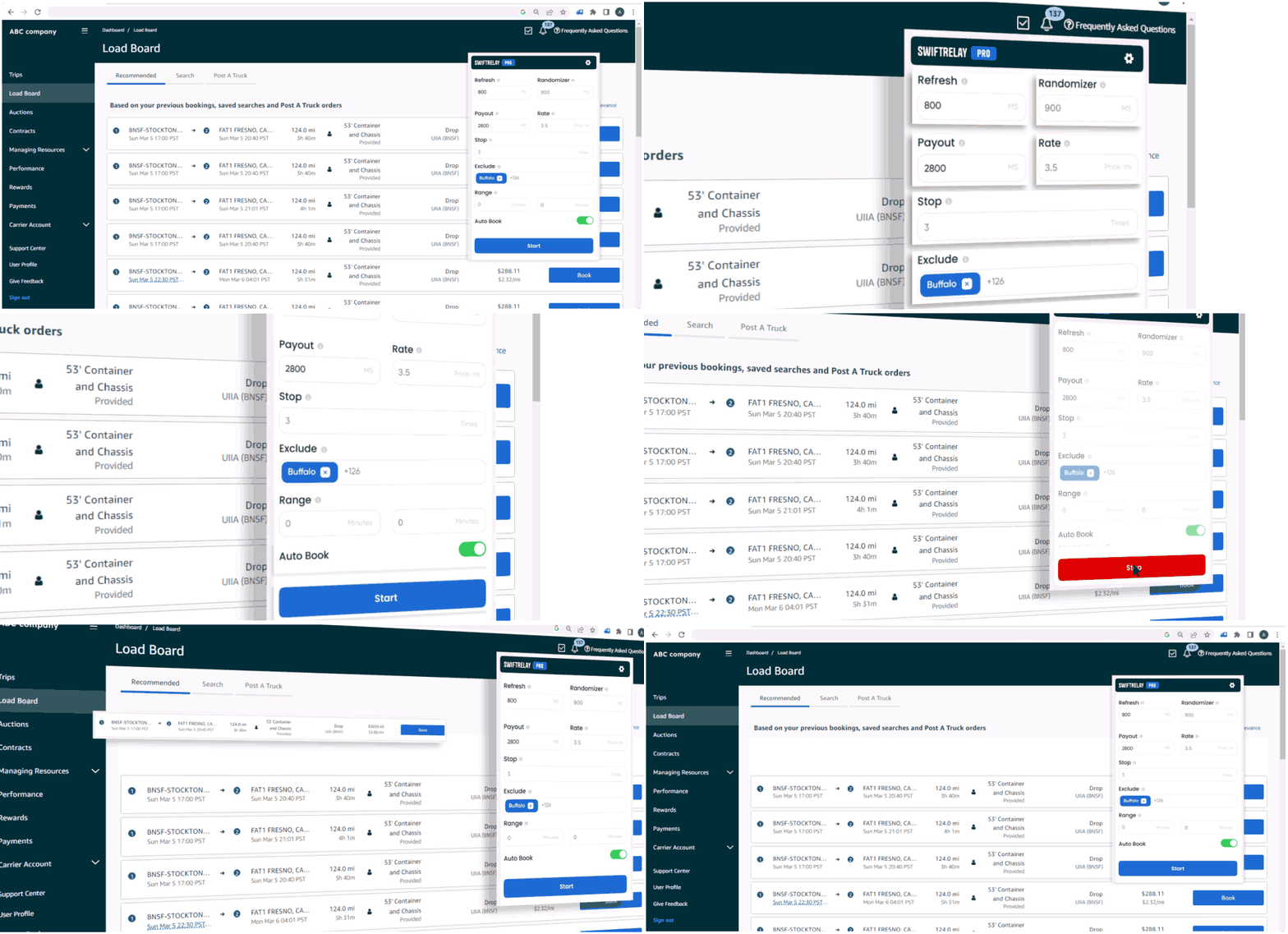
- In your extension, set marketplace / region to Canada (CA) so payout displays in CAD and filters use the correct units.
- Start with wider filters (lower min payout, broader radius), then tighten once you see matches appearing.
- Confirm refresh is running—new rows or timestamps should change without manual F5.
- If you need automatic confirmation, use a plan with auto-book—not refresher-only.
- Close duplicate Relay tabs; keep one search board tab active.
SwiftRelay on Amazon Relay Canada
SwiftRelay is built for multiple Relay marketplaces, including Canada. The extension runs on relay.amazon.ca, supports the Canada marketplace selector (CAD pricing), and combines high-speed refresh with optional auto-booking on Pro and Enterprise. That matters when your complaint is “the refresher never catches loads”—often you need faster refresh and realistic Canadian filters, or auto-book when loads match.
New carriers can start with a 7-day trial in the extension (one trial per carrier company, not per user). Paid plans bill through PayPal on our site when you are ready to subscribe after the trial.
Refresher vs auto booker for Canadian fleets
Auto refresher — keeps the Canadian board current so dispatchers spot freight faster. Best when humans still approve each booking.
Auto booker — applies your rules and can confirm matching loads when they post. Best when speed is the bottleneck and your filters are tested on Canadian lanes.
Many “refresher doesn’t work” reports are really “nothing books automatically.” Clarify which outcome you need before paying for the wrong tier. See our auto booker vs refresher guide for a full comparison.
When to contact support
If marketplace is CA, you are on relay.amazon.ca, filters are loose enough to show manual loads, and refresh still does not update the board, capture your extension version, a screenshot of the board URL, and your filter settings. Relay UI changes occasionally; a verified support channel can confirm whether an update is required.
SwiftRelay publishes Terms, Privacy, and a Return Policy on the same domain as the product—useful when you are evaluating any Relay automation vendor for a Canadian operation.
Next steps for Canada carriers
Do not abandon load board automation because a U.S.-only tool failed on relay.amazon.ca. Fix marketplace and URL first, loosen filters second, then match your plan to refresh-only vs auto-book.
Add SwiftRelay from the Chrome Web Store, open the Canadian load board, set region to Canada, and test during a live posting window. Related pages: Amazon Relay auto refresher, auto booker, and FAQ on trials and billing.