
Search for an Amazon Relay auto booker and you will find Chrome extensions, not a product Amazon sells under that name. Auto booking is software that sits on top of the official load board at relay.amazon.com (or your regional Relay host). You still sign in with your carrier account, follow Relay rules, and book posted freight. The tool only speeds up refresh, filtering, and the book or confirm steps you would otherwise click by hand.
That distinction matters. An auto booker cannot invent loads Amazon never posted, and it cannot bypass marketplace or equipment limits on your account. It watches the same board your dispatcher already uses, then acts when a load matches the rules you set. For a product-focused overview, see our Amazon Relay auto booker page.
Refresh, filter, book, and confirm
People often treat “auto booker” as one switch. In practice, load board automation is four related jobs:
- Refresh: reload or re-query the board on a short interval so new postings appear without manual F5. This is the job of an Amazon Relay auto refresher.
- Filter: apply lane, payout, distance, equipment, and other rules so you only chase freight you would actually haul.
- Book: start the booking flow on a matching load (the same Book control a person would click).
- Confirm: finish the confirmation step Relay shows before the load is secured. Skipping or mistiming confirm is how “almost booked” turns into a miss.
A refresher alone covers the first step. A full auto booker covers book and confirm when your plan and settings allow it. Filters sit in the middle: without them, faster refresh only means you see more of the wrong freight.
Why ignored Book and confirm clicks cost you loads
Competitive lanes post and vanish in seconds. If your tool refreshes the list but never presses Book, or presses Book and then stalls on confirm, you lose the race to carriers who finish both steps. Manual dispatchers hit the same wall: they see the load, click too late, or hesitate on the confirmation dialog while another truck takes it.
That is why a refresher alone is not enough when your goal is booked miles. Seeing freight earlier helps only if someone (or something) completes book and confirm while the load is still available. Teams that expect “auto catch” to mean “auto book” need booking automation, not refresh speed by itself.
When Lite is enough vs Pro or Enterprise
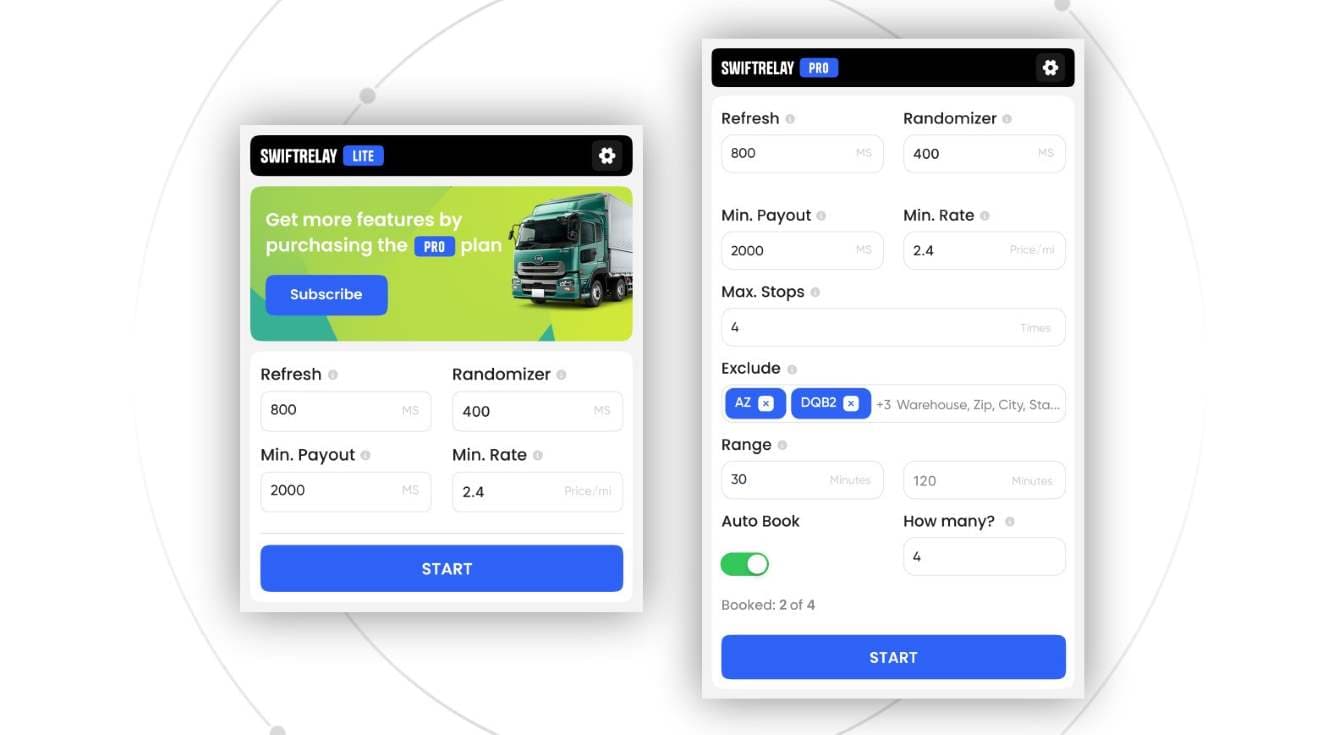
SwiftRelay is an Amazon Relay Chrome extension with clear plan tiers:
- Lite: automated refresh, filters, and fast-book highlights. You still approve bookings. Choose Lite when you want a current board and human judgment on every load.
- Pro: adds automatic booking when loads match your criteria. Choose Pro when your rules are stable and you want matching freight booked without sitting on the UI all day.
- Enterprise: auto-book plus Speed Optimizer for high-volume posting windows. Choose Enterprise when multiple trucks compete on the fastest freight and milliseconds matter.
If you are still dialing in lanes and payout floors, start on Lite so you learn which filters actually pay. Move to Pro once those rules are trustworthy. Step up to Enterprise when volume and competition outpace a single dispatcher watching the board.
Install and pick a plan
Add SwiftRelay from the Chrome Web Store, open your Relay load board, set filters that match how you haul, and start with the plan that matches your booking style. Compare tiers and pricing on our plans and pricing section, or read the dedicated auto booker and auto refresher guides before you upgrade.