
Amazon Relay basics
What is Amazon Relay? The load board carriers use to book Amazon freight.
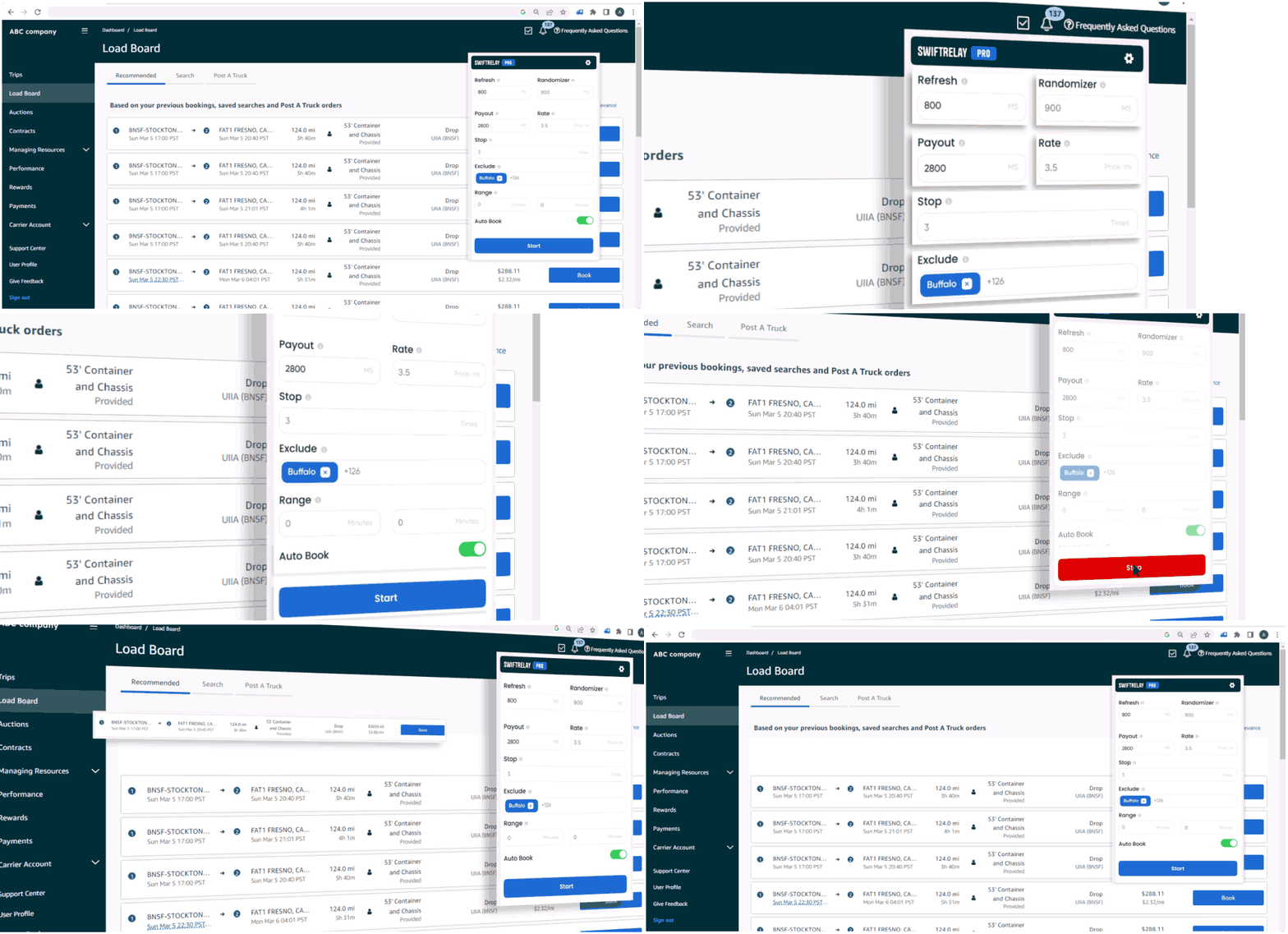
Amazon Relay is Amazon’s carrier platform. Dispatchers open relay.amazon.com, search the load board, and book posted freight. SwiftRelay is a Chrome extension that automates refresh and booking on that same board.
What is Amazon Relay?
Amazon Relay is Amazon’s freight program for carriers and owner-operators who haul loads for Amazon’s network. Carriers sign up through Amazon, get approved, then use the Relay website to find and accept work.
Relay is not a generic load board marketplace—it is tied to Amazon’s logistics network. You book loads Amazon posts, track assignments, and manage compliance through the same portal.
What is the Amazon Relay load board?
The load board is the search screen on relay.amazon.com where available freight appears. Loads show payout, miles, stops, pickup windows, and lane details. Desirable freight can disappear within seconds after posting, so dispatchers compete on speed as much as filters.
If you installed SwiftRelay and see “Waiting for loadboard,” open relay.amazon.com (or your regional Relay domain) and sign in with your carrier account. The extension detects the board automatically once the tab is active.
- US: relay.amazon.com
- Canada: relay.amazon.ca
- Europe: relay.amazon.co.uk, relay.amazon.de, and other regional Relay hosts
How carriers use Relay day to day
Typical workflow: log in, set search filters (lanes, equipment, payout), refresh the board, and book matching loads. Teams often run multiple searches and watch peak posting windows.
SwiftRelay sits on top of the official board—you still use your Amazon credentials and follow Relay terms. The extension refreshes faster than manual reload, applies your payout and lane rules, and can auto-book on Pro and Enterprise plans.
When automation helps
Manual refresh cannot keep pace when freight posts and vanishes in seconds. An auto refresher keeps listings current; an auto booker submits bookings when loads match your criteria.
SwiftRelay offers Lite (refresh + highlights), Pro (auto-book), and Enterprise (Speed Optimizer for the fastest postings). Start with a 7-day trial from the Chrome Web Store.
Get started on Relay
New to Relay? Apply for a carrier account through Amazon’s Relay onboarding, then install SwiftRelay from the Chrome Web Store. Open the load board, sign in, and configure filters before you run search or autobook.
Always follow Amazon Relay’s terms and your carrier agreements when using automation on the board.
Frequently asked questions
- Is Amazon Relay free for carriers?
- Amazon does not charge carriers a subscription fee to use Relay itself. You still need an approved carrier account and must meet Amazon’s program requirements. SwiftRelay is a separate Chrome extension with its own plans and trial.
- What website is Amazon Relay?
- The main US load board is relay.amazon.com. Canada uses relay.amazon.ca; Europe uses regional hosts such as relay.amazon.co.uk and relay.amazon.de.
- How do I get an Amazon Relay account?
- Apply through Amazon’s Relay carrier onboarding. Approval depends on insurance, authority, and Amazon’s eligibility checks. Once approved, sign in at your regional Relay URL to access the load board.
- How does SwiftRelay relate to Amazon Relay?
- SwiftRelay is a third-party Chrome extension that automates actions on the official Relay load board you already use—it does not replace your Amazon account. Install from the Chrome Web Store, sign in, and open relay.amazon.com to proceed.
- Can I try SwiftRelay before subscribing?
- Install from Chrome, sign in on relay.amazon.com, and open SwiftRelay—your 7-day trial starts on first use (no checkout here). One trial per carrier, not per user; if that carrier already trialed, subscribe to continue.